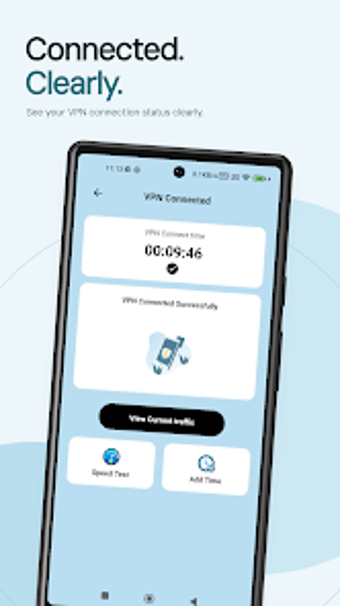
LinkNova VPN for Android: high-speed, encrypted mobile connections
Connect to global content with one tap while smart routing seeks the fastest path and advanced encryption protects traffic end to end. LinkNova, from anaseid501, appears in the Tools category on Android and targets mobile browsing, streaming, and remote work. Key capabilities include instant activation, optimized protection for public Wi-Fi, and simultaneous connections across multiple devices. The app suits users who need quick access to restricted content and a secure link on untrusted networks.
What does LinkNova do for mobile connectivity?
The app establishes an encrypted tunnel between the Android device and remote servers, offering instant access to geographically restricted sites and services. Its listed features include advanced encryption and smart routing technology to keep connections both private and responsive. The interface centers on a one-tap activation model, and the developer states the app supports simultaneous use across several devices under a single connection, which helps maintain a continuous session on multiple mobile endpoints.
Does LinkNova affect device performance during use?
The app advertises smart routing to prioritise connection stability and speed; this implies routing decisions take place before sustained data transfer. The documentation notes Android version requirements vary by device, which can influence how the VPN integrates with the platform's networking stack. Because the tool runs on mobile hardware, CPU and battery impact will depend on device model and session length rather than fixed consumption figures provided by the developer.
Is it safe to use on public Wi-Fi?
The app uses advanced encryption and states optimised security protocols for public Wi-Fi, which indicates traffic is protected when joining unsecured networks. The developer positions the tool to secure online activities and personal data on public hotspots. The description implies the app creates an encrypted channel for traffic, reducing exposure on open networks; the presence of explicit backup or rollback mechanics for network changes is not listed in the feature set.
Do I need technical knowledge to operate LinkNova?
The app focuses on a one-tap interface for quick activation, signalling a primarily guided workflow aimed at non-experts. Smart routing and automatic server selection are described as automatic behaviors, which reduces manual configuration needs. Advanced users who want fine-grained server choice or protocol tweaks are not given explicit controls in the feature list, so the app favours immediate use over deep customisation according to the developer notes.
Practical recommendation for Android users who need fast, protected access
LinkNova suits mobile users who want an easy way to reach restricted content and secure traffic on public Wi-Fi, thanks to one-tap activation and smart routing as described by the developer. The main limitation is platform scope: the app targets Android devices only, which constrains users who need cross-platform clients for desktop or other mobile systems.